
DevOps
Drupal tells you before it patches. Use the window.
A PSA names the date and the hours before the fix exists. That is time to verify versions, test a restore and book the slot — not time to read the advisory.
The problem with dragging files over FTP is not that it is slow. The problem is that the server becomes the source of truth instead of the repository. A small "temporary" edit made directly on the server, wiped by the next upload with nobody noticing. Two machines with two different versions of the same file. An upload that dropped halfway and left the site as half a release. And no record of who changed what, so when something breaks there is nothing to go back to.
The point of a first pipeline is not automation for its own sake. It is that "what is running on the server right now?" gets one answer: a commit hash.
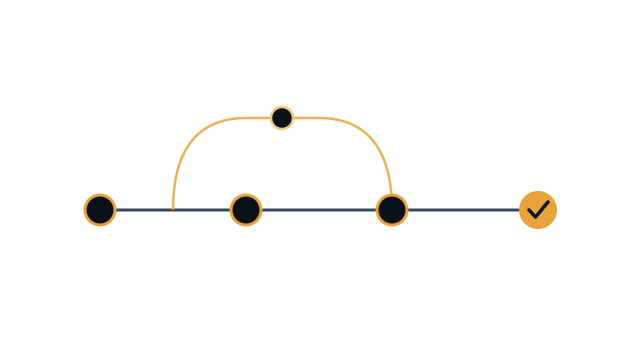
Every pipeline, however large, is four stages:
Build them in that order and add to them later. A pipeline that only moves files is far better than no pipeline, and easier to reason about than a perfect one you cannot repair.
An rsync straight over public_html means the site is, for a few seconds, a mixture of two versions. The alternative is a directory per release and a symlink that flips in one operation:
~/app/
  releases/9f21c4a/     ← the build output
  releases/3c07e18/     ← the previous release, kept for rollback
  shared/.env           ← secrets, never in the repo
  shared/uploads/       ← user files
  current -> releases/9f21c4a
The deploy itself becomes one line: ln -sfn. So does the rollback — the same line with the previous release name. Make public_html a link to current, or point the document root at it if your hosting allows that.
name: deploy
on:
  push:
    branches: [main]

# Two concurrent deploys race for the same symlink.
concurrency:
  group: deploy-production
  cancel-in-progress: false

jobs:
  deploy:
    runs-on: ubuntu-latest
    steps:
      - uses: actions/checkout@v4
      - uses: actions/setup-node@v4
        with:
          node-version: 22
          cache: npm

      # ci, not install: it honours the lockfile and fails when it drifts.
      - run: npm ci
      - run: npm test
      - run: npm run build

      - name: Prepare the deploy key
        run: |
          install -m 700 -d ~/.ssh
          echo "${{ secrets.DEPLOY_KEY }}" > ~/.ssh/id_ed25519
          chmod 600 ~/.ssh/id_ed25519
          ssh-keyscan -p "${{ vars.SSH_PORT }}" "${{ vars.SSH_HOST }}" \
            >> ~/.ssh/known_hosts

      - name: Upload the release
        run: |
          rsync -az --delete -e "ssh -p ${{ vars.SSH_PORT }}" \
            --exclude '.git' --exclude 'node_modules' \
            ./ "${{ vars.SSH_USER }}@${{ vars.SSH_HOST }}:app/releases/$GITHUB_SHA/"

      - name: Activate the release
        run: |
          ssh -p "${{ vars.SSH_PORT }}" "${{ vars.SSH_USER }}@${{ vars.SSH_HOST }}" \
            "cd app && ln -sfn releases/$GITHUB_SHA current && ./current/bin/post-deploy"

      - name: Health check
        run: curl -fsS --retry 5 --retry-delay 3 https://example.com/api/health
ssh-keyscan is not decoration. Without it, SSH either hangs waiting for a confirmation that never comes, or you disable host key checking and accept whatever server answers.
Nothing sensitive in the repository, private repositories included. Sensitive values go in repository secrets; .env lives in shared/ on the server and is linked into each new release. Generate a deploy key used for nothing else:
ssh-keygen -t ed25519 -C 'deploy@ci' -f deploy_key -N ''Public half into ~/.ssh/authorized_keys on the server, private half into repository secrets. One key per project per environment, so revoking one is cheap.
Moving files is reversible; dropping a column is not. Make every migration compatible with the release before it: add the new column, ship code that writes both, drop the old one in a later deploy. That is what keeps rolling back a bad release a symlink flip rather than a restore from backup.
The pipeline works when deploying becomes boring: a commit on main, a green check, a health check that passes. No late-night uploads, and no asking who touched the server last.

DevOps
A PSA names the date and the hours before the fix exists. That is time to verify versions, test a restore and book the slot — not time to read the advisory.
Security
Four NestJS advisories in seven months, all one bug: the matcher and the handler disagreed about the request. The check belongs where the data is read.
SEO
Next.js merges metadata key by key, so a route that omits alternates inherits its layout canonical. Ours pointed every page at the homepage.