
DevOps
From manual uploads to automated deploys — your first CI/CD pipeline
Four stages, a directory per release, and a symlink that flips in one operation. One file makes "what is running now?" answerable with a commit hash.
On 18 May 2026, Drupal published PSA-2026-05-18. It did not describe a vulnerability. It said that a highly critical fix for core would be released on Wednesday 20 May, between 17:00 and 21:00 UTC, and it gave the severity in advance: 20 out of 25 on Drupal's scoring model, with access complexity "none" and authentication "none" — meaning that whatever it was, exploiting it would require no account and no unusual conditions.
The release arrived as promised. Among its contents was CVE-2026-9082, a SQL injection in core rated critical, affecting everything from 8.9.0 up, and fixed in 10.4.10, 10.5.10, 10.6.9 and 11.1.10. Three further core advisories shipped the same day — CVE-2026-6365 and CVE-2026-6367 for cross-site scripting, CVE-2026-6366 for object injection.
No other framework in common use does this. Next.js, React and NestJS all disclose at the moment they patch, which is defensible and also means the first time you hear about it is the same moment attackers do. Drupal gives you a window. Almost nobody uses it.
Not for reading the advisory — there is nothing to read yet. It is for arriving at the release with the update already de-risked:
drush status or composer show drupal/core on every site you are responsible for, written down. The version you assume is running and the version running are different often enough that this is the step people skip and regret.composer update can actually run. Patches that no longer apply, an abandoned module pinned to an old core constraint, a PHP version the new release drops — find these on Monday, not during the window.By the time the advisory lands, patching should be one command and a smoke test.
Drupal also uses this channel for something less dramatic and more dangerous: PSA-2026-07-22 announced that security advisory coverage was removed from a project.
An unsupported module does not stop working. It stops being looked at. There will be no advisory for its next vulnerability, no CVE, and nothing in your update report — the module simply sits there, quietly outside the system that tells you when something is wrong. That is worse than a known vulnerability, because a known vulnerability at least generates a notification.
Read every coverage-removal PSA against your own project list. Removal is a deadline: replace the module, adopt it, or accept that you are now the security team for it.
Three feeds, and they are not the same feed:
https://www.drupal.org/security/rss.xml
https://www.drupal.org/security/contrib/rss.xml
https://www.drupal.org/security/psa/rss.xml
Core, contributed projects, and the advance notices. The PSA feed is the quietest of the three and the only one that ever gives you time. Put it somewhere a human sees it on the day — a mailing list, a chat channel, anything that is not a folder in an inbox.
The value of a two-day warning is entirely in whether somebody reads it on day one.
DevOps
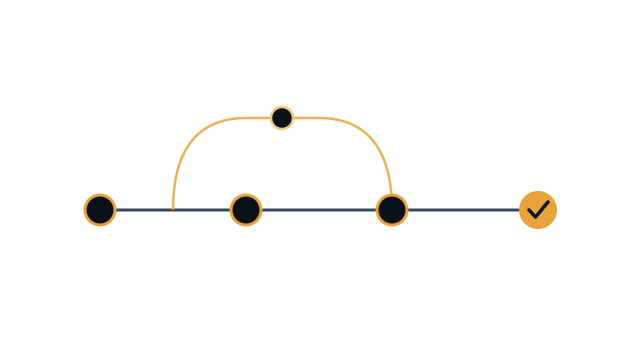
Four stages, a directory per release, and a symlink that flips in one operation. One file makes "what is running now?" answerable with a commit hash.

Security
Four NestJS advisories in seven months, all one bug: the matcher and the handler disagreed about the request. The check belongs where the data is read.
SEO
Next.js merges metadata key by key, so a route that omits alternates inherits its layout canonical. Ours pointed every page at the homepage.